
← Blog ·
What to do with your RaceChrono data after the session
RaceChrono .rcz vs CSV v3 export, explained: when to use each, what they actually contain, and how one session's data becomes a season-long logbook.
You finish a session. The phone has a few new entries in the RaceChrono sessions list. Lap times, splits, a track map. Now what?
If you only ever drive one car and only ever do two days a year, the honest answer is probably “nothing.” Skim the laps, screenshot the best one, send it to a friend, move on. But if you do this seriously — multiple cars, or multiple days, or both — there’s a file or two worth pulling off the phone before the context ages out. This post is about which file, when, and what the data is actually good for after the session is over.
It assumes you already record. If you’re choosing a lap timer, you’re on the wrong post.
RaceChrono gives you two exports worth knowing about
The two formats are the .rcz and the CSV v3. They share the same Share menu
inside RaceChrono and they hold mostly the same information, but they have
different jobs.
.rcz — the full session bundle
A .rcz is RaceChrono’s native archive. One file, one tap to share, and inside
it is the whole session: GPS samples, lap markers, sensors paired to the
recording (RaceBox Mini, internal phone GPS, OBD-II if you have it set up),
plus the session metadata. Crucially, the .rcz is also the format you get
when you back up your full RaceChrono history (Settings → Backup → Export) —
that one file can hold years of track days.
Reach for it when:
- You want one file that round-trips a whole session, sensors and all, into another tool.
- You want to migrate an entire history in one upload (the backup case).
- The other end of the share speaks
.rcznatively.
The trade-off is that it’s an opaque archive — you can’t open it in a spreadsheet and eyeball rows. For “is that lap real or did I cut the chicane?” you usually want the CSV.
CSV v3 — the legible one
CSV v3 is the human-readable export. It’s a plain CSV with one row per GPS sample, columns for time, latitude, longitude, speed, lap number — the data you’d actually scroll through in Numbers if you wanted to see what’s there. It’s the right export when you want to:
- Look at the raw rows yourself before doing anything more permanent.
- Feed the data to a tool that doesn’t read
.rcz. - Verify lap markers landed where you think they did.
Mechanically: open the session in the RaceChrono app, tap Share, pick the CSV
v3 variant instead of .rcz. Same menu, different file.
Which one in practice
If you’re keeping a logbook and uploading the data somewhere downstream, .rcz
is usually the right answer — it preserves the full session and covers both
the one-session case and the years-of-history backup case. CSV v3 is the right
answer when you want to read the rows yourself, when a downstream tool only
takes CSV, or when you want the most stable long-term contract — the “v3” is
an explicit version tag, while .rcz is an opaque archive whose internals can
shift between RaceChrono releases. The official RaceChrono docs go into every
flag and option if you need more.
What the recording app doesn’t try to do
This is the part the export is for.
RaceChrono captures sessions and times the laps. That is the right scope for a lap timer — capturing what happened on track, well, on the device that was in the car. What it doesn’t try to do, and doesn’t claim to do, is hold a season. There’s no view of “every track day on this car, sorted by date, with the mileage and the tire set and the pads I was on at the time.” There’s no surface that links the session you just recorded to the pads that were on the car in April, the alignment you changed before the last day, or the receipt for the tires that wore out two outings ago. There’s no way to attach a setup card to a session and pull it back up next year on a different phone.
That’s not a complaint about the app. A lap timer should record a session; that’s the right job. But the moment the session ends and you want to put it in context — context being everything else you’ve done with this car this year, and last year — you’re outside what RaceChrono is for. You’re inside what the export is for.
Said more compactly: RaceChrono captures the session; ApexLog keeps the season.
What I do with the export
I drop it into ApexLog. I built it, so the rest of this post is openly partial — read it as one option, not the only one. The honest case for putting the export anywhere at all is that the data has a longer useful life than the recording device’s session list does, and the file is the only thing that escapes the phone.
The .rcz (or CSV v3) goes to /imports. ApexLog parses out the sessions and
laps and attaches them to a track day. A single-session file becomes one new
day with one session under it; a full backup gets split into individual days
by date and track in one pass, no manual sorting.
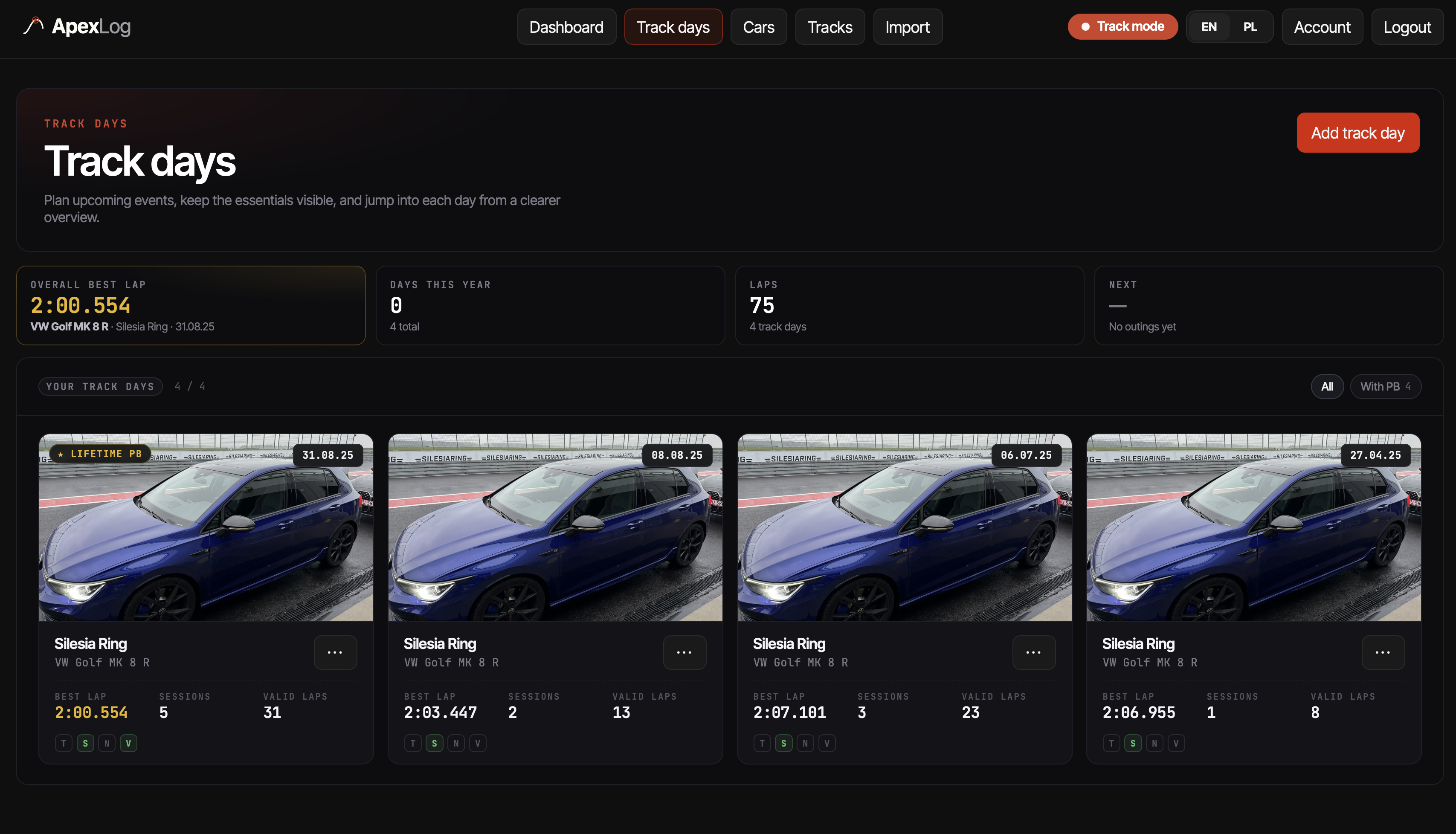
Click a day, you get the sessions. Click a session, you get the laps.
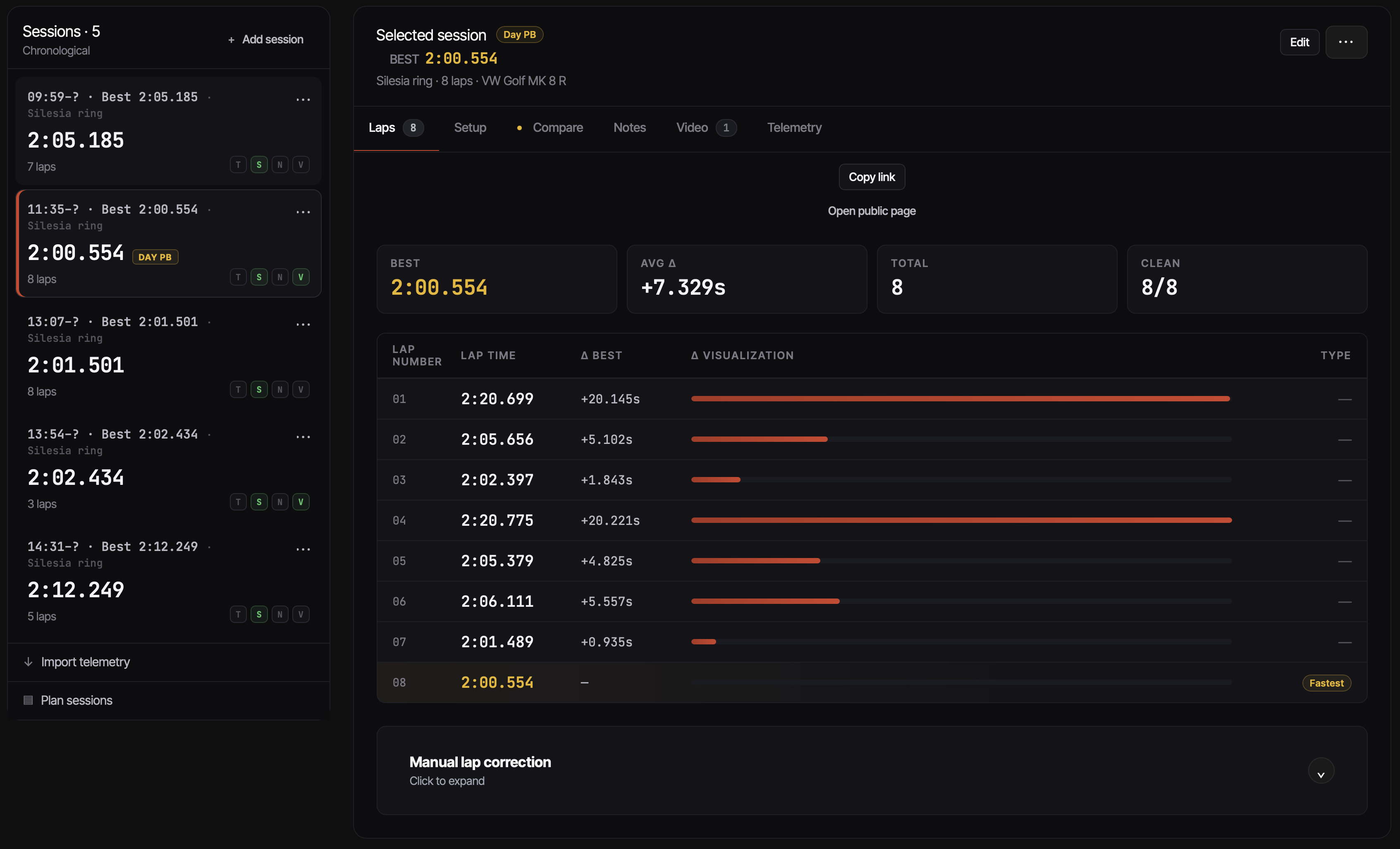
What the import actually produces today, no more, no less: the track day,
sessions detected from the file, every lap with its time, the best lap per
session, the track mileage rolled up against the car, and a public share link
you can send to anyone without making them sign up. Setup details (tires,
brake pads, alignment) and consumables you add by hand after the import — not
because the file is hard to parse, but because that information isn’t in the
file. RaceChrono has no way to know whether the laps it just recorded were on
Cup 2s or Trofeo Rs, and neither does the .rcz. Entering setup once, then
having every imported lap attach to it automatically, is the trade.
The RaceChrono import page walks through the upload
mechanics — what the parser accepts, the review-before-save step, what a
multi-year backup looks like coming out the other side. There’s a sample
.rcz on that page if you want to see the result without exporting your own.
RaceBox CSV is supported through the same mechanism on the RaceBox side; its own import page covers that case.
What the data is good for once it’s out of the phone
The honest version: the export, sitting in a logbook, doesn’t tell you why you got faster. It tells you what you ran, when, and how the laps came out. The causation — driver familiarity, the new pads having more bite, the track running a few degrees cooler, the fact you finally stopped braking late into the slow corner — is still your job to reason about.
What does become easy is the comparison RaceChrono can’t make for you, because the data isn’t on the phone anymore by the time you want it:
- Track mileage per car. You stop guessing how many track miles the car has on it; the number is the sum of imported laps, in one place.
- Best lap by year, by car, at a circuit. The export gives you the lap times; a season layer keeps them next to every other lap you’ve recorded at the same place.
- A session that doesn’t go stale. The file has been parsed once and the
data is structured — you can pull the session up two years later without
re-importing or searching the phone for an archived
.rcz. - A share link with no install. Useful when someone asks “how’d it go?” and you don’t want to mail a 30 MB file.
The racing-line map, telemetry-in-context views and anything more analytical sit on top of the same imported data; that surface is the part of the product actively under development. The export is the source for all of it. If you’re curious about the broader “what should a track-day logbook even capture” question, the logbook pillar is the longer write-up that this post sits underneath.
Try one file
If you have a .rcz or a CSV v3 from last weekend, the fastest way to see
whether any of this is worth your time is to drop one in.
Import a RaceChrono file into ApexLog →
Free during beta — one file is enough to see whether the season-shaped view fits how you keep track of your days.